Java作业-3
JavaFX相关实践
如何定义JavaFX主类? start 方法的签名是什么?什么是台?什么是主台? 主台是自动生成的吗?如何显示一个舞台?可以阻止用户改变舞台大小吗?在程序清单 14-1 中,可以将第22行的Application.launch(args)替代为 launch(args)吗?
- 如何定义JavaFX主类?
在JavaFX中,主类应该继承javafx.application.Application。这样可以定义启动应用程序的start方法。 - start 方法的签名是什么?
public void start(Stage primaryStage) throws Exception; - 什么是台?
“台"在JavaFX中通常指的是"Stage”。它是JavaFX应用程序中的顶级窗口。可以把它想象成一个应用程序窗口,并在其中放置各种UI元素和场景。 - 什么是主台?
当JavaFX应用程序启动时,系统传递给start方法的Stage对象就是主台(primaryStage)。可以在这个Stage上设置场景(Scene)和其他UI元素。 - 主台是自动生成的吗?
JavaFX应用程序启动时,系统会自动为你创建一个主台,并将其传递给start方法。 - 如何显示一个舞台?
primaryStage.show(); - 可以阻止用户改变舞台大小吗?
primaryStage.setResizable(false); - 在程序清单 14-1 中,可以将第22行的Application.launch(args)替代为 launch(args)吗?
如果JavaFX主类继承了Application类,那么可以直接使用launch(args),而不需要Application.launch(args)。这是因为launch是Application类的一个静态方法,主类继承了这个类就可以直接调用。
import javafx.application.Application;
import javafx.scene.Scene;
import javafx.scene.control.Button;
import javafx.stage.Stage;

public class MyJavaFX extends Application {
  public MyJavaFX()
  {
    // System.out.println("constructor");
  }

    //  @Override // Override the start method in the Application class
  public void start(Stage primaryStage) {
    //  System.out.println("start");
    // Create a button and place it in the scene
    Button btOK = new Button("OK");
    Scene scene = new Scene(btOK, 200, 250);
    primaryStage.setTitle("MyJavaFX"); // Set the stage title
    primaryStage.setScene(scene); // Place the scene in the stage
    primaryStage.show(); // Display the stage
  }

  /**
   * The main method is only needed for the IDE with limited
   * JavaFX support. Not needed for running from the command line.
   */
  public static void main(String[] args) {
    // System.out.println("launch");
    launch(args);
  }
}
什么是面板?什么是节点?如何将一个节点置于面板中?可以直接将 Shape 或者 ImageView置于Scene中吗?可以将 Control或者 Pane 直接置于Scene 中吗?
-
什么是面板?
在JavaFX中,面板通常指的是Pane类及其子类。面板用于组织和布局界面中的UI组件。例如,HBox, VBox, GridPane, BorderPane等都是面板的示例。 -
什么是节点?
在JavaFX中,节点是场景图中的一个元素。所有的JavaFX UI组件,无论是按钮、文本、图像还是其他元素,都是Node的子类。场景图是由这些节点组成的树状结构。 -
如何将一个节点置于面板中?
面板(Pane及其子类)有一个getChildren()方法,该方法返回一个ObservableList<Node>,可以将节点添加到这个列表中。Button button = new Button("Click Me"); Pane pane = new Pane(); pane.getChildren().add(button); -
可以直接将 Shape 或者 ImageView置于Scene中吗?
不能直接这么做。Scene的构造函数需要一个Parent对象作为其根元素。Shape和ImageView都是Node的子类,但不是Parent的子类。但你可以先将它们放在一个Pane(或其他类型的面板)中,然后再将该面板置于Scene中。 -
可以将 Control或者 Pane 直接置于Scene 中吗?
可以。Control和Pane都是Parent的子类Button button = new Button("Click Me"); Scene scene = new Scene(button);
如何找到系统中所有可用的字体?
使用javafx.scene.text.Font类中的getFamilies()方法来获取系统中所有可用的字体家族名称
import javafx.application.Application;
import javafx.scene.text.Font;
import javafx.stage.Stage;

public class ListFonts extends Application {

    @Override
    public void start(Stage primaryStage) {
        // 获取所有字体家族
        for (String family : Font.getFamilies()) {
            System.out.println(family);
        }
    }
}
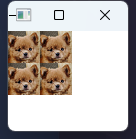
(显示图像)在一个网格面板里面显示4个图像
package com.example;

import javafx.application.Application;
import javafx.scene.Scene;
import javafx.scene.image.Image;
import javafx.scene.image.ImageView;
import javafx.scene.layout.GridPane;
import javafx.stage.Stage;

public class ImageGrid extends Application {

    @Override
    public void start(Stage primaryStage) {
        GridPane grid = new GridPane();

        String imageUrl = "E:\\Repos\\Course\\Java\\my\\code\\W3\\demo\\src\\main\\java\\com\\example\\avatar16.png";

        // 创建4个图像视图
        ImageView imgView1 = new ImageView(new Image(imageUrl));
        ImageView imgView2 = new ImageView(new Image(imageUrl));
        ImageView imgView3 = new ImageView(new Image(imageUrl));
        ImageView imgView4 = new ImageView(new Image(imageUrl));

        // 将图像视图添加到网格的适当位置
        grid.add(imgView1, 0, 0);
        grid.add(imgView2, 1, 0);
        grid.add(imgView3, 0, 1);
        grid.add(imgView4, 1, 1);

        Scene scene = new Scene(grid, 100, 100);
        primaryStage.setScene(scene);
        primaryStage.setTitle("Image Grid");
        primaryStage.show();
    }
}
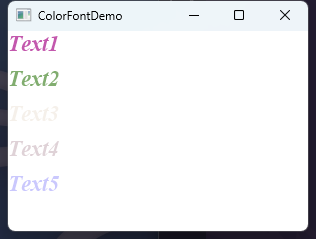
(颜色和字体)请写一个程序,可以垂直显示 5个文字,如图14-44a 所示。对每个文字设置一个随机颜色和透明度,并且将每个文字的字体设置为 TimesRomes、bold、italic,大小为 22 像素
import javafx.application.Application;
import javafx.scene.Scene;
import javafx.scene.layout.VBox;
import javafx.scene.paint.Color;
import javafx.scene.text.Font;
import javafx.scene.text.FontPosture;
import javafx.scene.text.FontWeight;
import javafx.scene.text.Text;
import javafx.stage.Stage;

import java.util.Random;

public class ColorFontDemo extends Application {

    @Override
    public void start(Stage primaryStage) {
        VBox vbox = new VBox(10); // 10为文本间的垂直间距
        String[] words = {"Text1", "Text2", "Text3", "Text4", "Text5"};

        for (String word : words) {
            Text text = new Text(word);
            text.setFill(randomColorWithOpacity()); // 设置随机颜色和透明度
            text.setFont(Font.font("Times New Roman", FontWeight.BOLD, FontPosture.ITALIC, 22)); // 设置字体
            vbox.getChildren().add(text);
        }

        Scene scene = new Scene(vbox, 300, 200);
        primaryStage.setScene(scene);
        primaryStage.setTitle("ColorFontDemo");
        primaryStage.show();
    }

    // 生成带透明度的随机颜色
    private Color randomColorWithOpacity() {
        Random rand = new Random();
        return new Color(rand.nextDouble(), rand.nextDouble(), rand.nextDouble(), rand.nextDouble());
    }
}
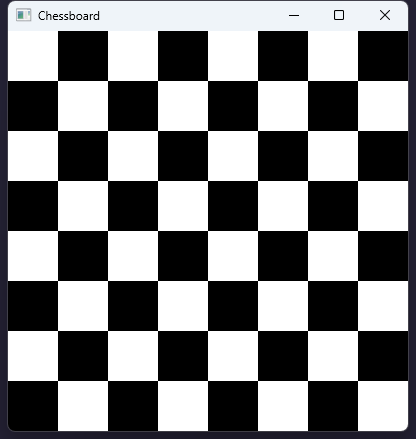
(游戏:显示一个象棋棋盘 )请写一个程序显示一个象棋棋盘,其中每个黑白单元格都是一个填充了黑色或者白色的 Rectangle
import javafx.application.Application;
import javafx.scene.Scene;
import javafx.scene.layout.GridPane;
import javafx.scene.paint.Color;
import javafx.scene.shape.Rectangle;
import javafx.stage.Stage;

public class Chessboard extends Application {

    public static final int TILE_SIZE = 50;
    public static final int BOARD_SIZE = 8;

    @Override
    public void start(Stage primaryStage) {
        GridPane grid = new GridPane();

        for (int row = 0; row < BOARD_SIZE; row++) {
            for (int col = 0; col < BOARD_SIZE; col++) {
                Rectangle tile = new Rectangle(TILE_SIZE, TILE_SIZE);
                Color color;

                // 根据行和列的奇偶性决定方块的颜色
                if ((row + col) % 2 == 0) {
                    color = Color.WHITE;
                } else {
                    color = Color.BLACK;
                }

                tile.setFill(color);
                grid.add(tile, col, row);
            }
        }

        Scene scene = new Scene(grid);
        primaryStage.setScene(scene);
        primaryStage.setTitle("Chessboard");
        primaryStage.show();
    }
}