使用Vscode-maven安装javaFX
JDK8往后的版本都不再默认支持JavaFX了,作为VScode的重度用户,不想去换其他的IDE,于是使用VScode的Maven来完成JavaFX的安装。
准备工作
安装完毕JDK(我使用的是JDK17),并在vscode中配置好路径和Maven
注意要配置JAVA_HOME环境变量。
Maven配置阿里云镜像
一开始我的下载速度非常慢,甚至会下载超时,后来改了镜像源之后直接起飞。
打开Maven的安装目录,找到conf/settings.xml,向mirrors中添加这一段:
<mirror>
   <id>alimaven</id>
   <name>aliyun maven</name>
   <url>http://maven.aliyun.com/nexus/content/groups/public/</url>
   <mirrorOf>central</mirrorOf>
 </mirror>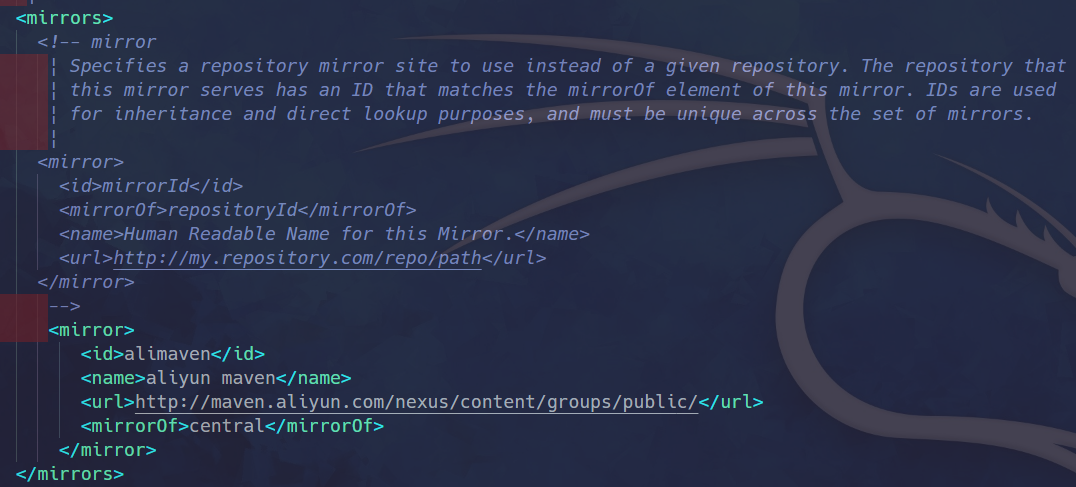
使用Maven配置JavaFX项目
JavaFX是模块化的,需要根据需求逐个添加对应的模块
创建Maven原型
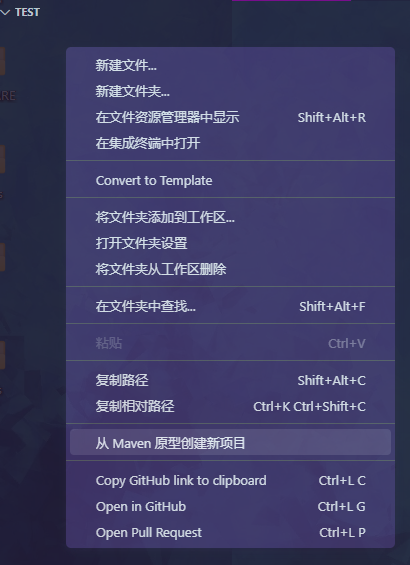
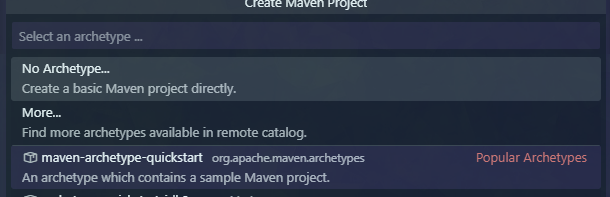
选择好架构后命名,并选择目标文件夹
如果没有什么项目管理需求的话这个不用太在意,敲两下回车就行

完成了像这样:
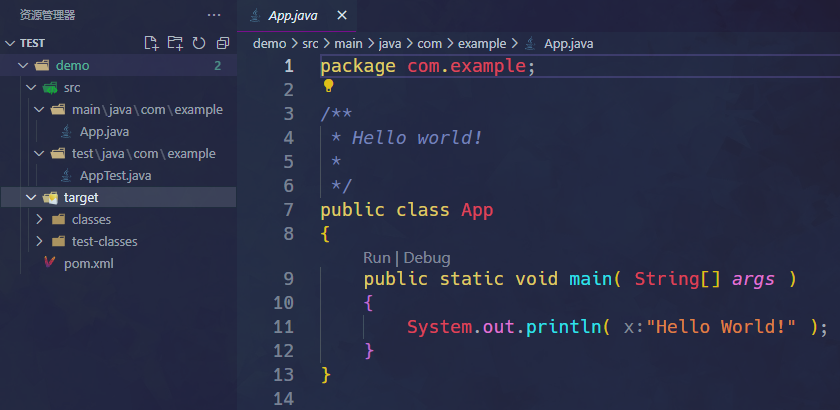
安装JavaFX依赖
在左下角可以看到有Maven的工作区,这里有两种添加模块的方式:
- 直接向pom.xml中添加依赖
- 在Maven的Dependencies项上点击+号
两者本质一样,都是向pom.xml中加入这样几段:
<dependency>
  <groupId>org.openjfx</groupId>
  <artifactId>javafx-graphics</artifactId>
  <version>17</version>
</dependency>

<dependency>
  <groupId>org.openjfx</groupId>
  <artifactId>javafx-controls</artifactId>
  <version>17</version>
</dependency>
确认JDK版本是否与自己的一致
保存后右下角会弹出对话框,点击yes检查依赖是否正确。
检查完毕后回到左边Maven的工作区,在Lifecycle中执行clean、validate、install操作来确保依赖正确安装。
超级大坑,运行JavaFX程序
有如下测试代码
package com.example;

import javafx.application.Application;
import javafx.scene.Scene;
import javafx.scene.control.Button;
import javafx.stage.Stage;

public class App extends Application {
    public App() {
        // System.out.println("constructor");
    }

    // @Override // Override the start method in the Application class
    public void start(Stage primaryStage) {
        // System.out.println("start");
        // Create a button and place it in the scene
        Button btOK = new Button("OK");
        Scene scene = new Scene(btOK, 200, 250);
        primaryStage.setTitle("MyJavaFX"); // Set the stage title
        primaryStage.setScene(scene); // Place the scene in the stage
        primaryStage.show(); // Display the stage
    }

    /**
     * The main method is only needed for the IDE with limited
     * JavaFX support. Not needed for running from the command line.
     */
    public static void main(String[] args) {
        // System.out.println("launch");
        launch(args);
    }
}直接执行main会报错:错误: 缺少 JavaFX 运行时组件, 需要使用该组件来运行此应用程序
wtf?不是才安装完了依赖么?怎么会找不到的?
解决方法很简单:不要在这里运行程序,去掉这个main,新写一个Main.java来执行,像这样:
package com.example;

import javafx.application.Application;

public class Main {
    public static void main(String[] args) {
        Application.launch(App.class);
    }
}
执行这个main,完美解决问题。
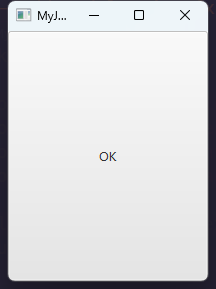
运行结果:
要问我原理?我不到啊。